EaglercraftX and Minecraft Classic are different routes
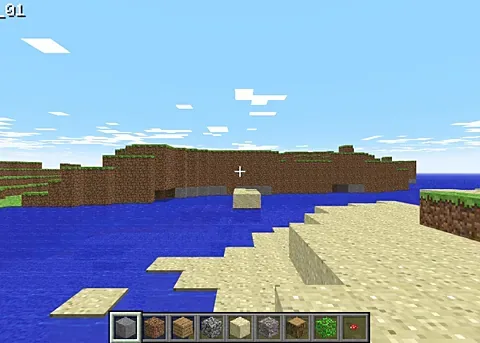
The destination describes a community EaglercraftX WebAssembly build of Minecraft Java 1.8.8. Its page lists survival, creative, hunger, health, crafting and the familiar block-world systems of that version. Minecraft Classic is a separate building project with a different scope. Choose the version before diagnosing a missing menu or expecting a newer release’s features. Neither this directory nor WASM Arcade is Mojang or Microsoft, and the page is not an official Minecraft distribution or account service.
Open the project and choose a world
Use the specific Minecraft launch link, then the destination’s Play Minecraft action. Allow engine preparation to finish before choosing the game’s own world and mode options. The host page sends embedding restrictions, so it opens in its own tab. A separate tab also gives its browser storage and mouse capture their normal context. We do not put a blocked frame in front of the launch button or claim that the web page title alone verifies every world, server or device.
Keyboard, mouse and inventory
The source lists WASD for movement, mouse for looking, Space for jumping, Left Shift for sneaking and Left Ctrl or a double-tap of W for sprinting. Left mouse breaks or attacks; right mouse places or uses. E opens inventory, 1–9 or the wheel selects a hotbar slot and Q drops an item. T or slash opens chat or commands. Click inside the scene for input focus. Escape releases the mouse; browser fullscreen can require a longer escape action. Check the current control table if bindings differ.
Local world saves need their own backup
The host says worlds are stored in the browser on your device. Keep that distinction from a RadiantGames saved link: the link remembers an address, while the host’s world data contains progress. Review its current world export or backup options before changing profiles, moving devices or clearing site data. Opening the same URL elsewhere does not establish that the world moved. A private-browsing session can have different storage behavior from your usual browser profile.
Graphics and related sandbox choices
The destination lists WebGL2 and a current browser. Directory responsiveness does not add touch controls, graphics capability or a guarantee of smooth performance. Check its current error message if loading stops and compare the exact same project rather than a different Minecraft version. For another sandbox route, compare GTA III or Vice City in the WASM Arcade guide; for simpler block building, use Minecraft Classic. Save the routes you want to revisit, keeping each project’s world data separate.
Project source: wasmarcade.com ↗.
Compare WASM Arcade · PC games ported to browser · All game projects