BEFORE YOUR NEXT SESSION
QuakeWorld in the browser: the version, the controls and the next step
QuakeWorld multiplayer uses a live arena server. Play with a keyboard and mouse.
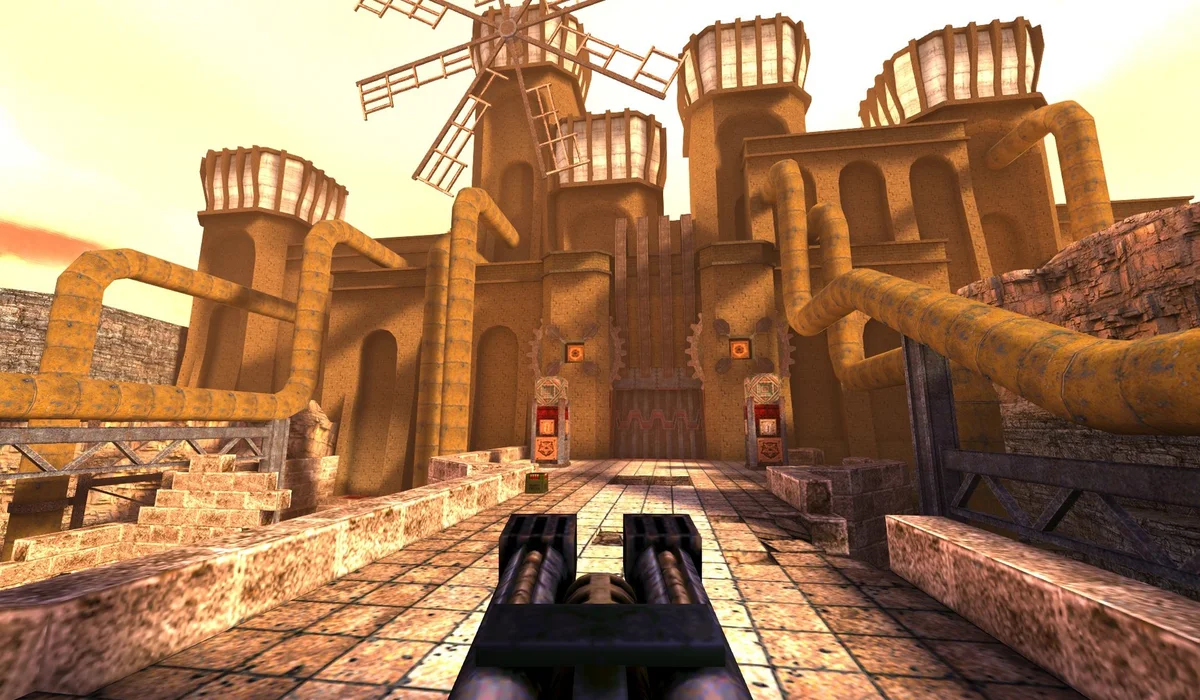
This Quake browser page opens the QuakeWorld multiplayer project from the original Radiant Optimizer list. It is an online arena with a player-name launcher, not a page that promises the complete single-player campaign. Pick a display name and connect to the current arena session.
How to play Quake online
- Press Play QuakeWorld above to open the original project inside the game window.
- Enter the name you want the project to display and press its Play button.
- Wait through the engine load and server connection. The arena appears after those steps finish.
- Click the game window to give it focus. Use WASD to move, arrows or dragging to look, and Ctrl or a click to shoot, following the project’s on-screen hints.
The server can change maps while you are connected. If a loading screen stays visible, use Open original to compare the same project in a separate tab. Refreshing this directory page is not a way to choose a new server or recover a server that is offline.
QuakeWorld browser multiplayer versus Quake single player
QuakeWorld is the version this launcher identifies. The name matters because a search for “Quake online” can lead to campaign demos, arena projects and emulated releases. This page is for the arena connection shown by q1.pieter.com. It does not advertise a shareware campaign or a complete campaign download.
If you want a solo chapter instead, Half-Life: Uplink in your browser opens a demo launcher. If you want a slower mouse-driven session, try Diablo shareware. These are different play experiences, with their version limits stated on each page.
When Quake is loading or keys do not respond
Give the first asset transfer time to finish, then watch for the server connection. Click inside the frame before using movement keys. The project offers its own sound control; interaction may be needed before audio plays. The Open original link is also available when a browser feature works better outside the frame.
Use the larger game view on a keyboard-and-mouse device for a clearer arena view. We have not tested a full match across every phone or managed laptop, so a responsive page is not a device-support guarantee.
QuakeWorld: frequently asked questions
Is this Quake single player?
This page embeds the QuakeWorld multiplayer project. It is separate from the original Quake single-player campaign.
Do I need to install Radiant Optimizer to play?
No. This launcher opens q1.pieter.com, a third-party browser project.
What if the server never connects?
Open the original project in a new tab and check whether the same connection issue appears there. The server is operated by the project, not this directory.